C-Vids Signage
Every TV in your business, up to date from your phone
Posters, videos, notices and schedules on the screens in your lobby, shop or clinic. Change them in a minute, and see which TVs are on, without walking over with a USB stick.
Available directly from C-Vids or through our partners. Setup and support from Singapore.
Built for the screens your customers and staff walk past
Office lobbies
Welcome visitors, show the Wi-Fi details, announce town halls and fire drills.
Shops and showrooms
Run this week's promotions in the window and new arrivals at the counter.
Clinics and waiting rooms
Opening hours, vaccination drives and reminders while patients wait.
Factories and canteens
Safety notices, shift messages and staff announcements where everyone sees them.
What you can do
One dashboard for every screen, at one location or across several.
- Posters and PDFsUpload an image or a PDF. Each PDF page becomes its own slide.
- VideosMP4 videos play to the end, then the playlist moves on.
- Notices and a scrolling lineType a headline or a message for the ticker. No design software needed.
- SchedulesShow a different playlist in the morning, at lunch or on weekends, screen by screen.
- Pause every screen at onceOne button replaces everything with a single message or poster, for an emergency or a VIP visit.
- Keeps playing offlineIf the internet drops, each TV keeps playing what it last downloaded.
- See which TVs are onThe dashboard shows each screen as on, off or offline, with its own live preview.
- Manage it from your phoneYour team signs in with their email and a 6-digit code. No passwords to share.
Ready-made templates, in your brand colours
Pick one, add your logo and colour, and type your own text. Weather, air quality, MRT status, bus arrivals, public holidays and exchange rates update by themselves. Or design your own layout from blocks.
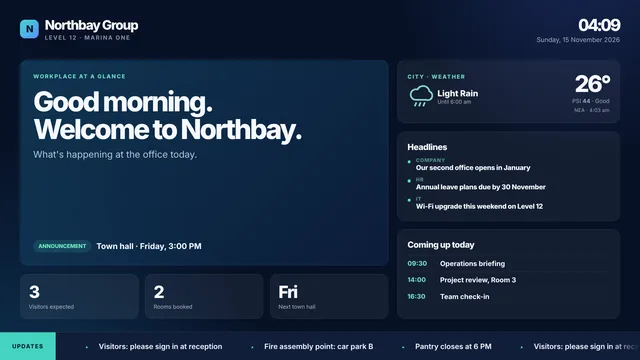
Office Pulse
Welcome message, announcement, key numbers, headlines, today's agenda, weather and PSI.
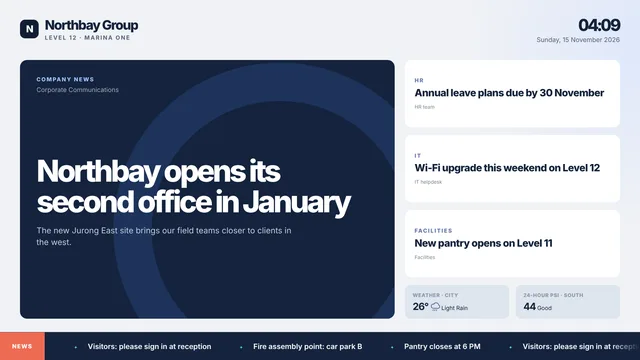
Newsroom
One lead story and three supporting headlines you write, with weather and PSI.
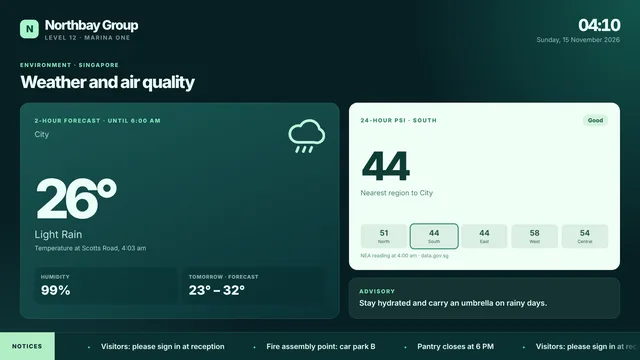
Weather and air quality
Singapore's official 2-hour forecast, temperature, humidity and 24-hour PSI by region.
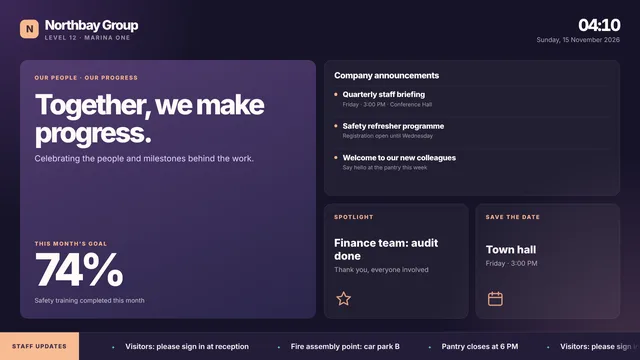
People and goals
Staff message, monthly goal progress, announcements, spotlight and save the date.
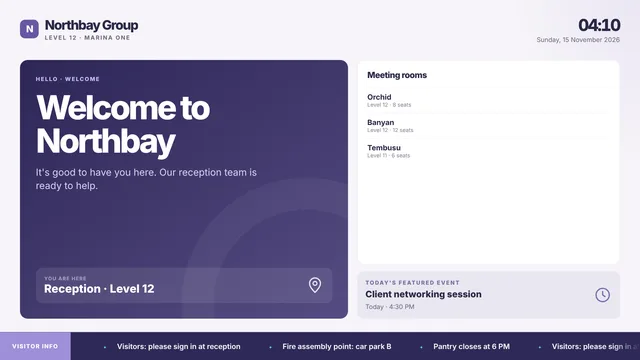
Visitor lobby
Welcome, you-are-here, meeting room directory and today's featured event.
Want to see one on your TV?
Tell us which template fits your lobby, shop or office and we’ll set it up with your logo for a demo.
How it works
- Step 1
Tell us about your screens
How many TVs, where they are, and what you want on them. We send a quote.
- Step 2
Connect each TV
Install the player app on a Google TV or Android TV, open it in the TV's browser, or use a mini PC. Each screen has its own code.
- Step 3
Change content any time
Add posters, playlists and schedules from your phone or laptop. TVs update within about a minute.
For AV integrators and IT resellers
Offer digital signage to your own clients, under your own brand, without building or hosting anything.
Your brand
Your logo and company name on the dashboard, the sign-in page and the emails your clients receive.
Your clients
Add clients and their screens yourself, and give each client a login that only sees their own screens.
Your price
You set and collect the price from your clients. You buy licences from us: one per screen, each valid for a year from when you put it on a screen.
Renewal reminders
We email you 30, 15 and 5 days before a licence ends, so your clients' screens never stop unexpectedly. Hosting and updates are on us.
Talk to us
Need screens for your own business, or want to resell C-Vids Signage to your clients? Tell us a little about it and we’ll reply within one business day.
- The Studio dashboard and logins for your team
- The TV player for every screen
- Help connecting your TVs, or supply and installation
Questions
Already a client? Sign in to your Studio.